
Police OT Tracker

Police OT Tracker

Log every tour, detail and court date on your iPhone. See your overtime against your caps and what it should add to your check.

Download on the App Store for iPhone and iPad

First 30 days free, built into the app. After that, $1.99 a month, $19.99 a year, or $39.99 once. No account to make.

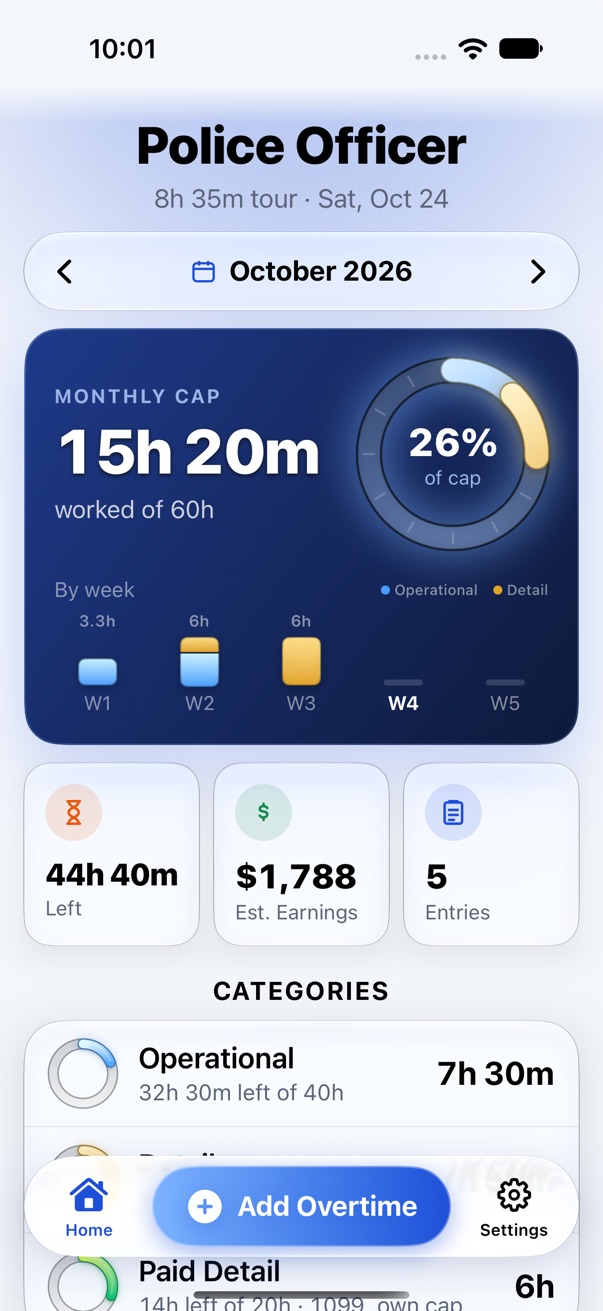
The app's home screen: 15h 20m worked against a 60-hour monthly cap, with hours by week and by category.

Log it the way the slip reads.

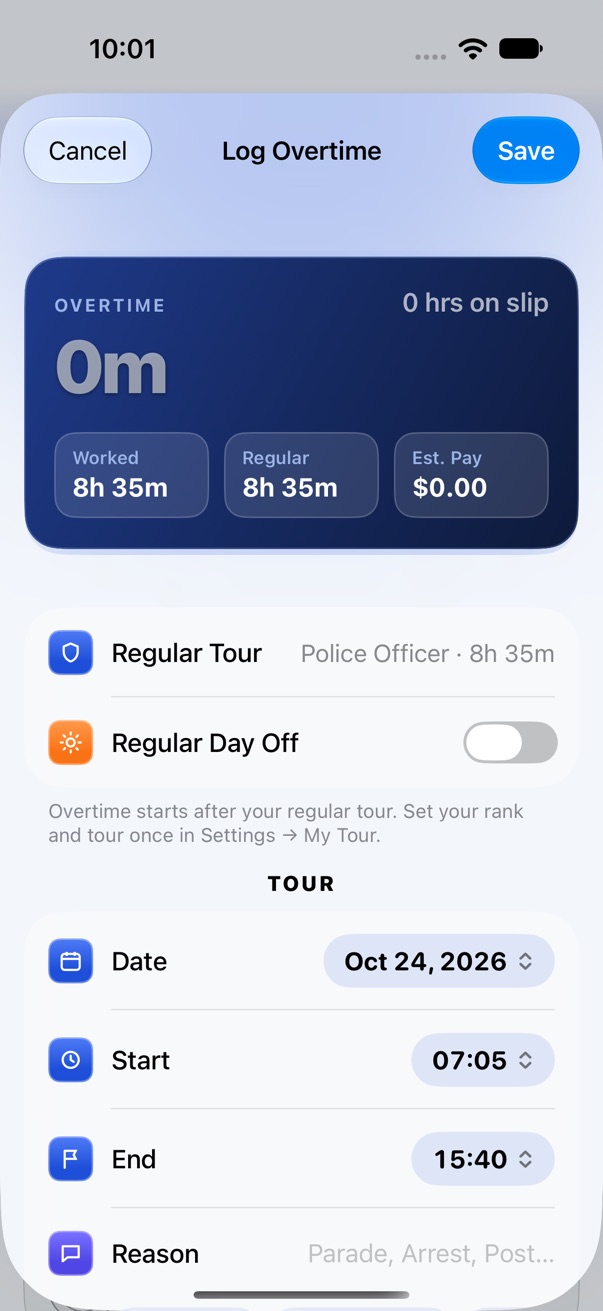
Date, start, end, reason. Set your tour once in Settings and the app counts overtime from where your tour ends. Tours that run past midnight and work on your regular day off are handled for you.

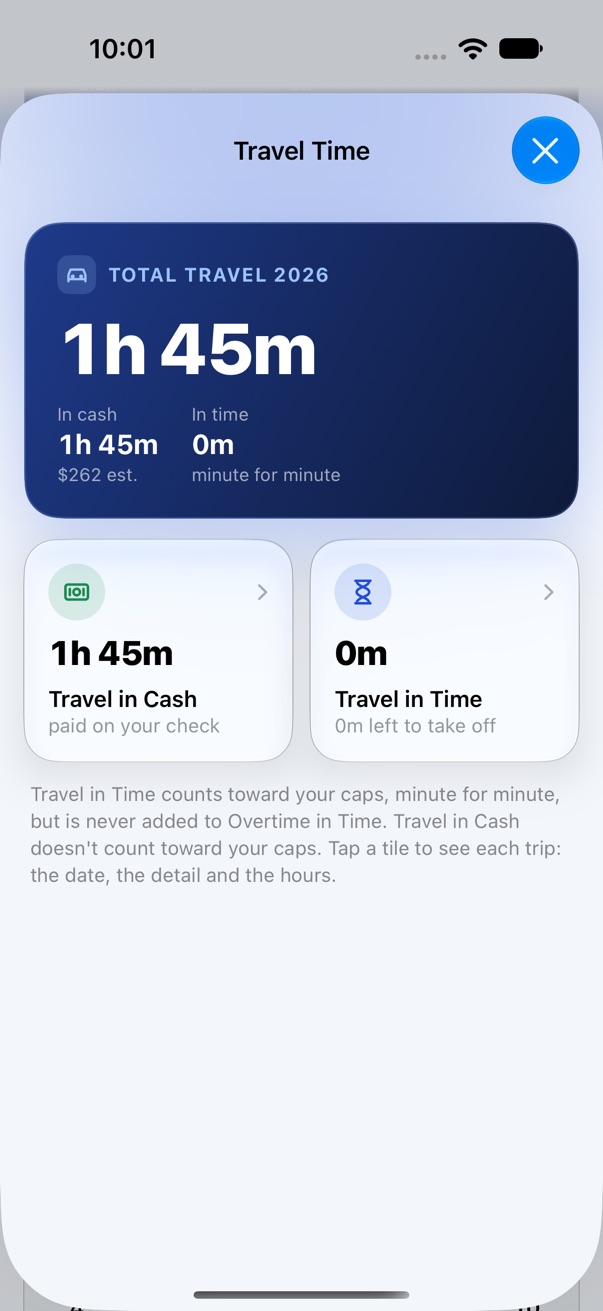
Snap the slip and it stays with the entry. Travel time, in cash or in time, gets its own line.
2h 0m overtime

Same math the app does on every entry. It also adds it to your caps and estimates the pay.

The Log Overtime screen with date, start and end time, regular tour and a regular day off switch.

Know what's coming on payday.

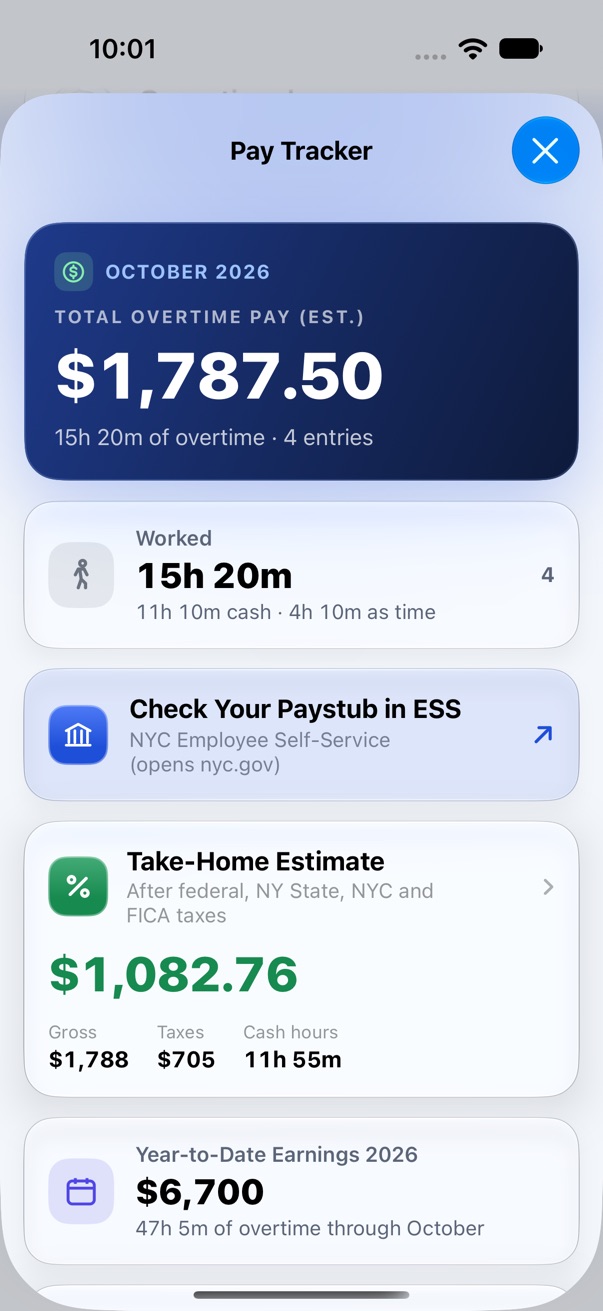
Pay Tracker adds up the month: overtime pay by category and by assignment, cash hours, and a take-home estimate after federal, New York State, New York City and FICA taxes. Year to date sits right under it.

When the check lands, one tap opens Employee Self-Service on nyc.gov so you can hold the two side by side.

Figures are estimates from your salary and the hours you log. Your paystub is the official record.

Pay Tracker showing $1,787.50 estimated overtime pay for October and a take-home estimate.

A paper trail you can actually find.

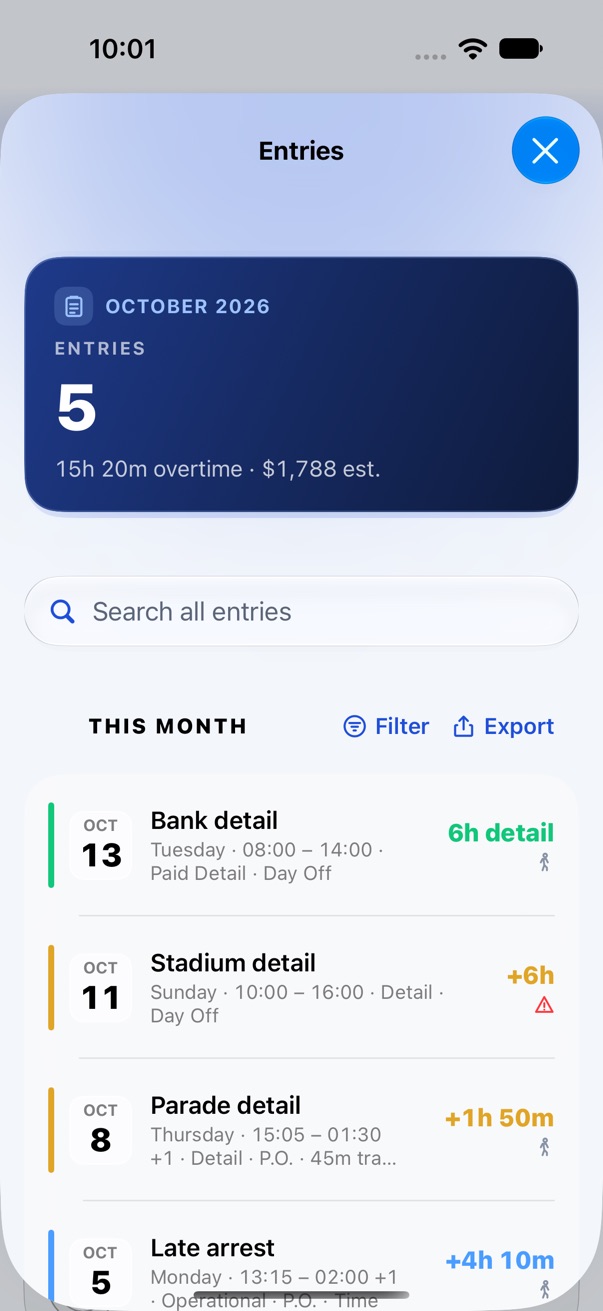
Every entry is searchable and filterable by category, with the detail, the times and the slip attached. Caps for Operational, Detail, Court or your own categories fill up as you log.

Need it on paper? Export a PDF report or a CSV for Numbers or Excel.

The Entries list for October: bank detail, stadium detail, parade detail and a late arrest. Travel Time for 2026, split into travel paid in cash and travel taken in time.

Your records stay yours.

No sign-up, no app server, no analytics. Your entries live on your iPhone and back up to your own private iCloud.

Try it for a month. Then pick one.

The first 30 days are free inside the app. Nothing to set up, and nothing starts charging when they end. If you don't buy, your saved records stay viewable and exportable.

Download on the App Store

Overtime Pro prices in US dollars. Charged to your Apple Account when you confirm. Subscriptions renew unless canceled at least 24 hours before the period ends.
First 30 daysFreeEverything, no payment setup
Monthly$1.99Renews each month
Yearly$19.99Renews each year
Lifetime$39.99Pay once, nothing renews

Support

Something not adding up? Send an email and you'll get a reply from the developer.

support@davidmq.com

How is overtime calculated?

Overtime starts after your regular tour (set it in Settings → My Tour). Tours that cross midnight and regular days off are handled automatically.

Are the earnings exact?

No. Pay and take-home figures are estimates from your salary and the hours you log. Always check your official paystub.

How does the subscription work?

The first 30 days are free inside the app, with no purchase or payment setup. No subscription starts automatically when this period ends. To continue logging and editing afterward, choose Overtime Pro: Lifetime at US$39.99 once (no subscription, nothing renews), or US$19.99 per year, or US$1.99 per month. Payment is charged to your Apple Account when you confirm a purchase. Subscriptions renew automatically unless canceled at least 24 hours before the current period ends. Manage or cancel in Settings → Apple Account → Subscriptions. Saved records remain viewable and exportable without a subscription.

How do I get a refund?

Purchases are made through Apple, so Apple handles refunds. Request one at reportaproblem.apple.com.

What happens to my records if the app is discontinued?

They stay on your iPhone and in your own iCloud. Your records are never stored on our servers. You can keep your own copy any time with Settings → Privacy & Security → Back Up to Files, or export a CSV or PDF. See the Terms of Use.

Restore a purchase on a new iPhone

Open the app → Settings → Overtime Pro → Restore Purchases.

Where is my data?

Work records are stored on your iPhone or iPad and backed up to your own private iCloud (on by default for new installs; you can turn it off in Settings). There is no app account or developer-operated backend, and we can't read your records. Optional exports and calendar sync are controlled by you. See the Privacy Policy.